 Pins
Every link you save, one keystroke away
Pins is a fast, focused bookmark manager. Save pages from anywhere, keep them tidy with folders and tags, and find any one of them again in a second.
Free for up to 200 pins. Import your browser bookmarks in under a minute.
- Works in any browser
- Syncs instantly across devices
- Chrome extension, Mac & iPhone apps coming soon
Features
Browser bookmarks, minus the mess
Bookmark bars fill up and turn into a junk drawer. Pins gives each link a proper home, with everything you need to find it again and nothing you don’t.
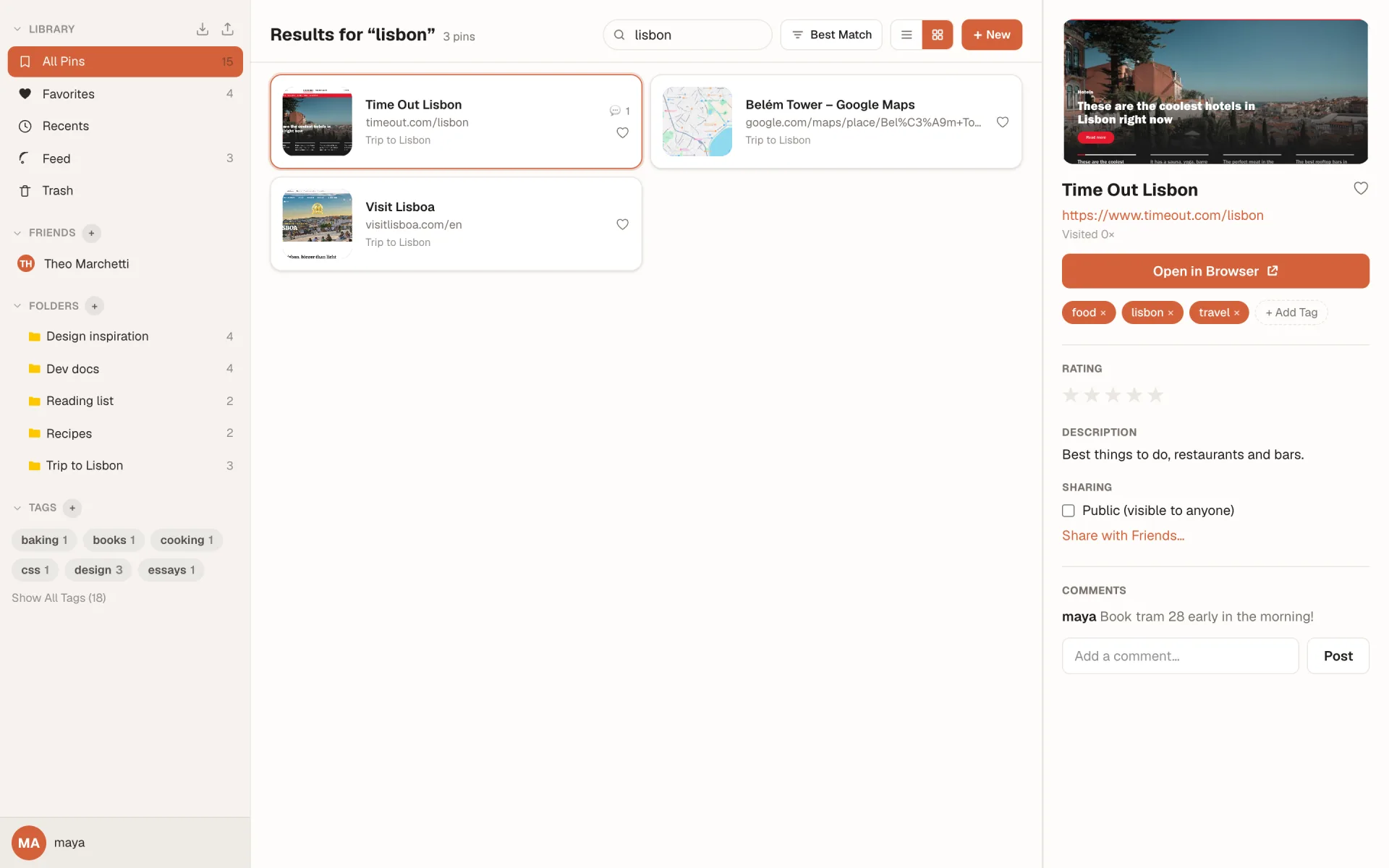
Find any page in a second
Search runs across titles, links, descriptions and tags as you type, and puts the best match first. No more digging through nested folders or your browser history.
- Press / from anywhere to search
- Sort by date added, last opened, name, visits or rating
- Put your favorites first with one click
Organized the way you think
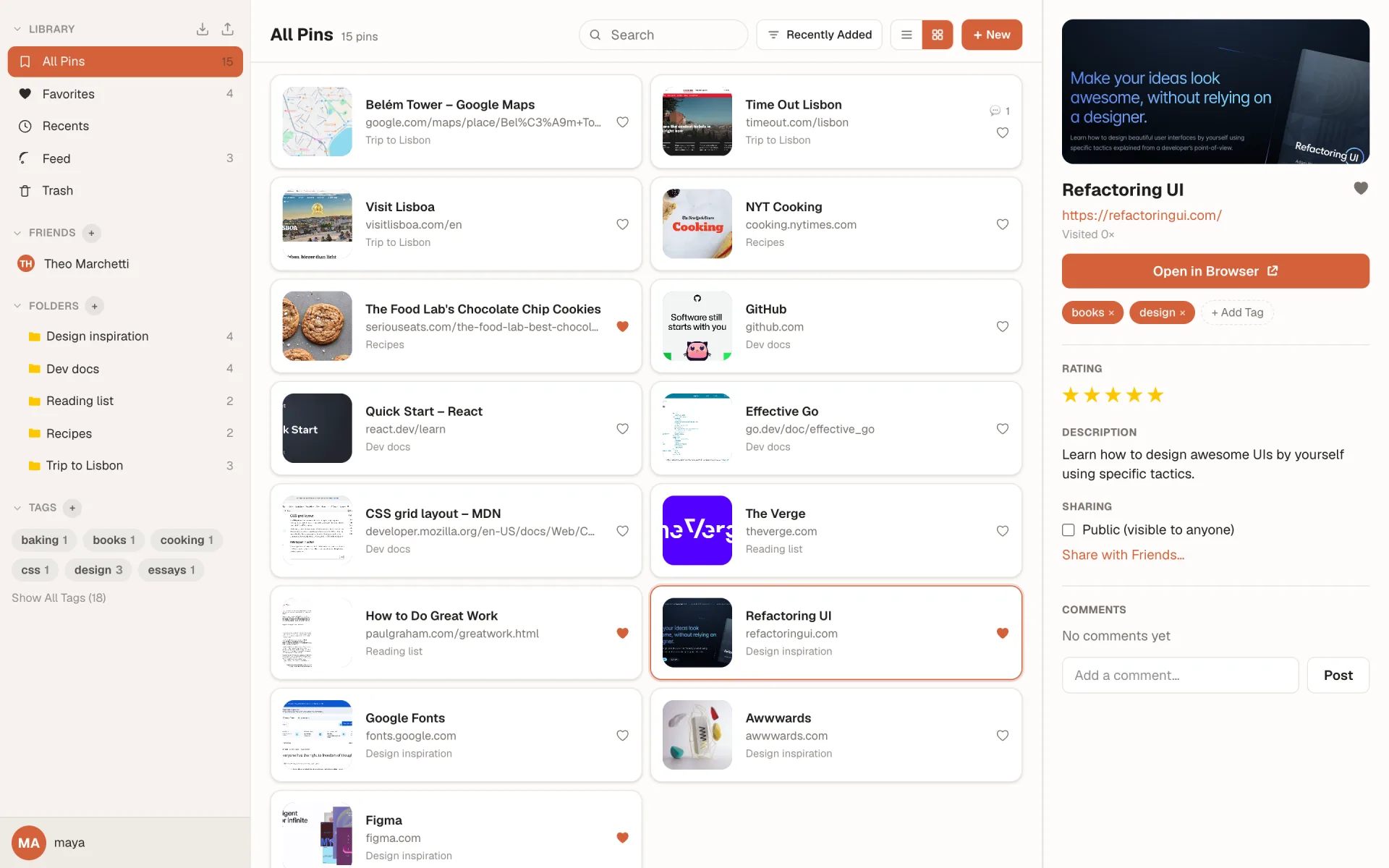
Put each pin in a folder, add as many tags as you like, and mark the ones you keep coming back to. Pins fetches a thumbnail for every page, so you can recognize a link at a glance.
- Folders, tags, favorites and 5-star ratings
- Descriptions and comments on every pin
- Drag and drop, multi-select, list or grid view
Peek before you open
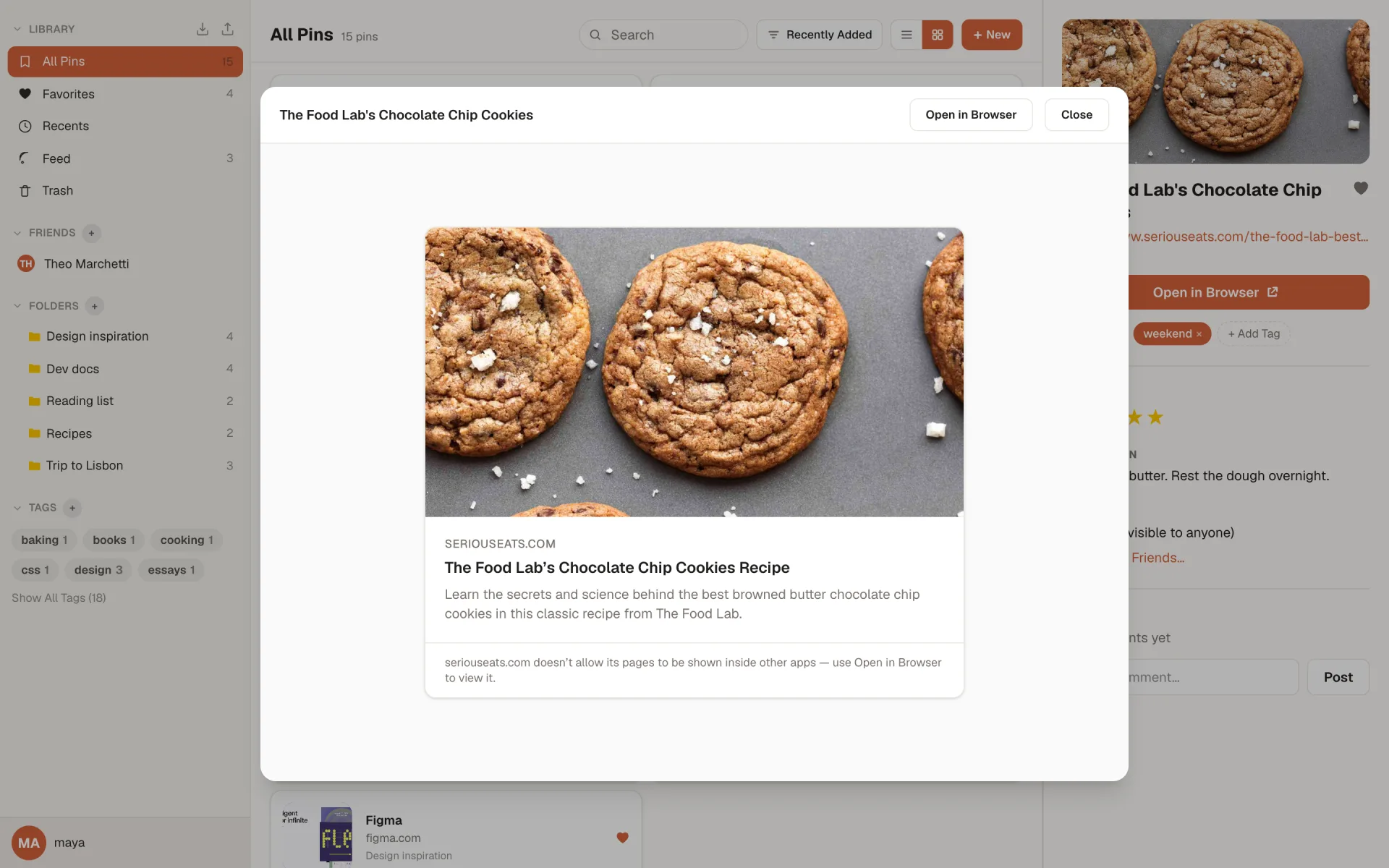
Press Space on any pin for a quick preview of the page, right inside Pins. Open it in your browser only when it’s the one you want.
- Quick preview, like Quick Look on a Mac
- Open in your browser with Enter
- Copy or paste a batch of links with ⌘C / ⌘V
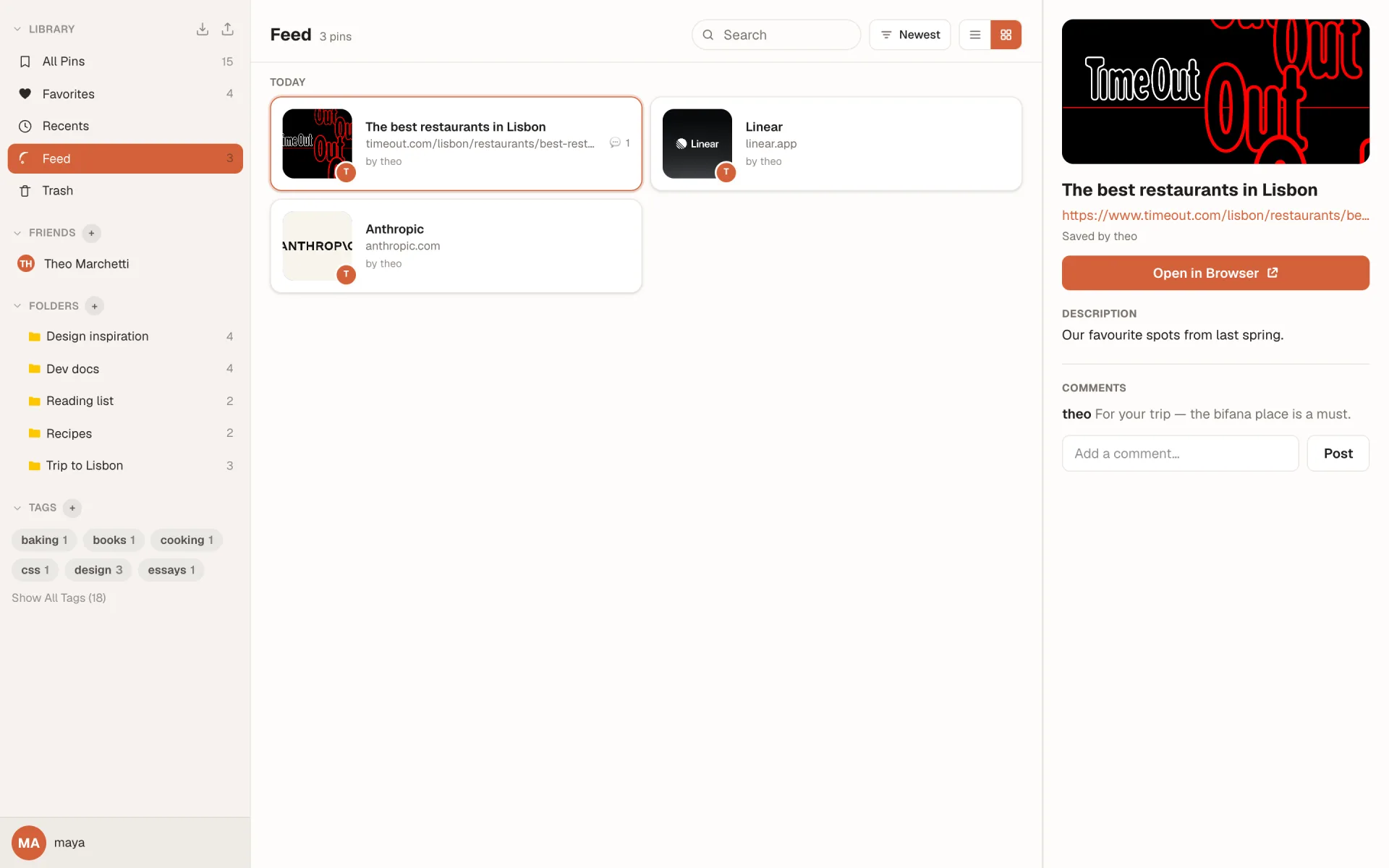
Share the good stuff with friends
Add friends and share a pin with them in two clicks. Everything shared with you lands in your Feed, where you can open it and talk about it in the comments.
- Pins are private unless you share them
- Comments on every pin
- Browse a friend’s public pins
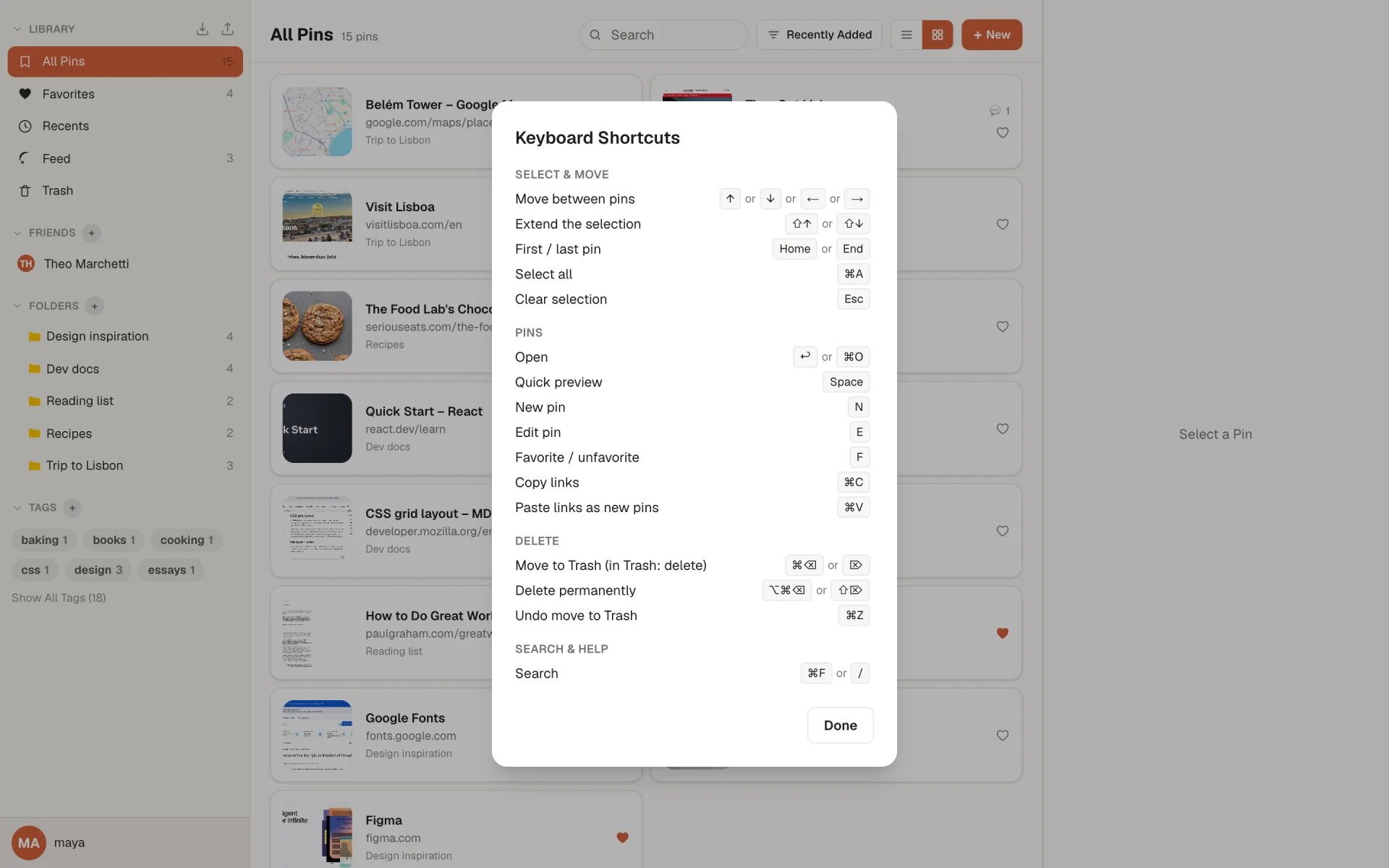
Built for the keyboard
Move between pins with the arrow keys, then open, preview, favorite, edit and delete without touching the mouse. Press ? any time to see every shortcut.
- N new pin, E edit, F favorite
- Undo a delete with ⌘Z
- Coming soon: open the Chrome extension with ⌘⇧P to search your pins or save the current tab
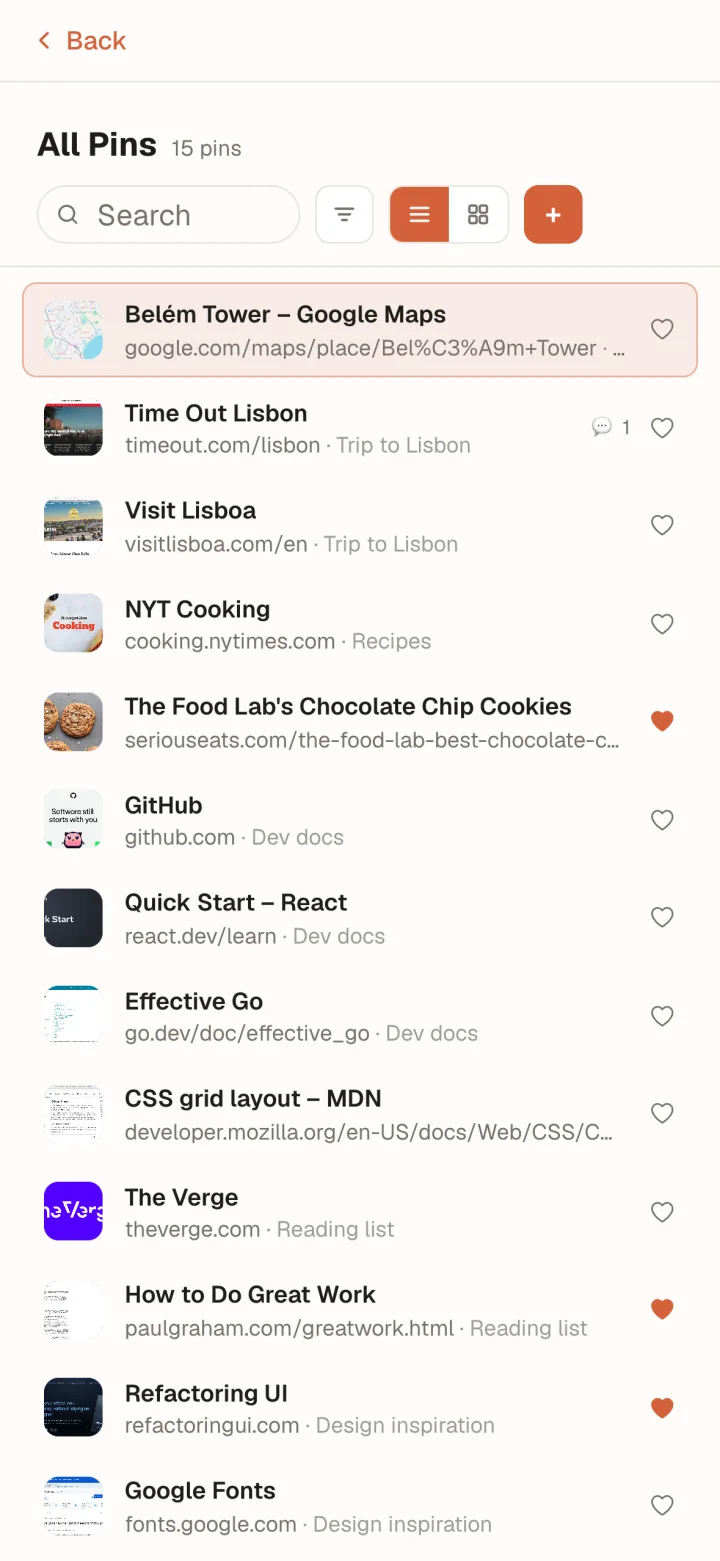
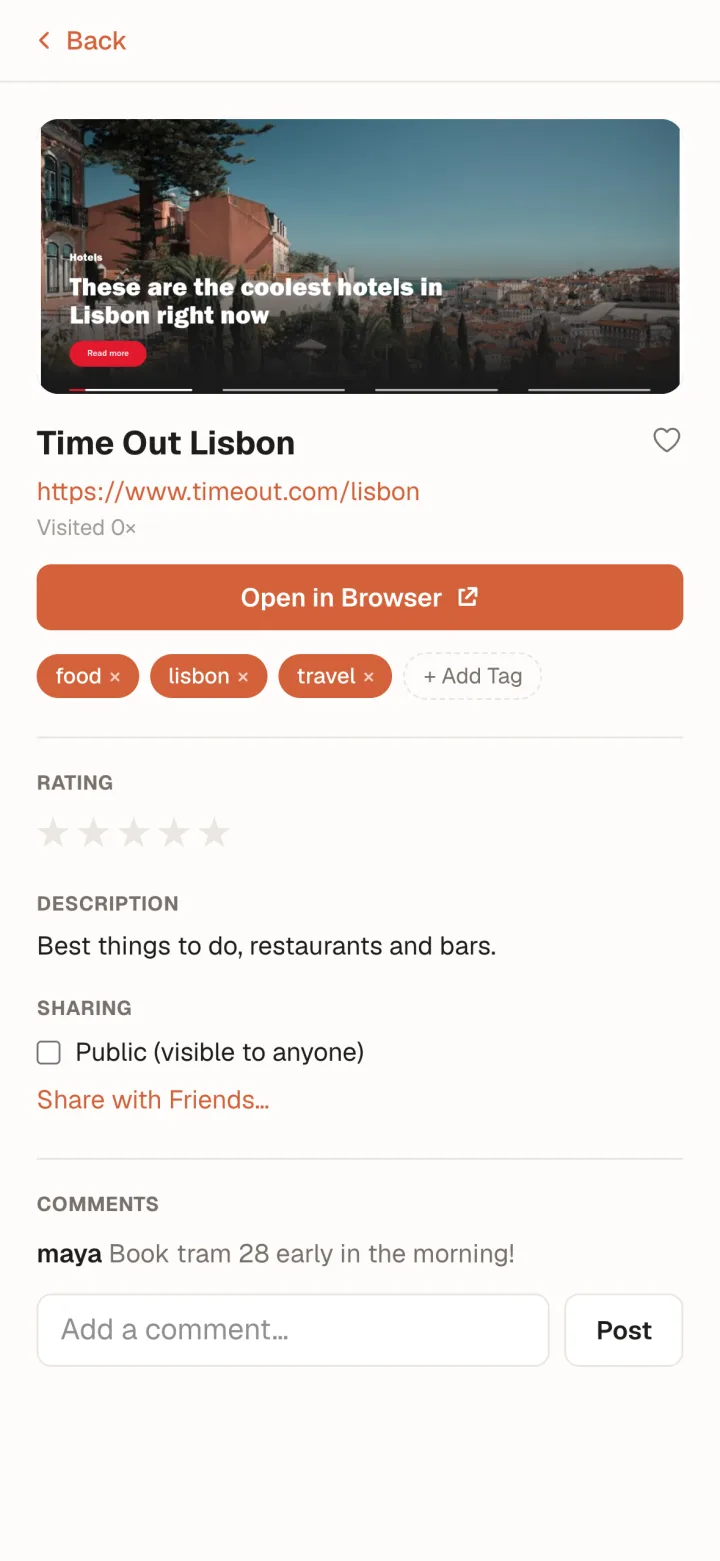
Your pins in your pocket
Pins works just as well on your phone. Everything syncs the moment you save it, so a link you pinned at your desk is there when you’re out the door.
- Your whole library in any phone browser
- Native iPhone and Mac apps on the way
Use cases
One place for everything worth keeping
Whatever you collect links for, Pins keeps it findable.
A reading list you’ll actually read
Pin articles and essays for later, tag them by topic, and rate the ones worth recommending.
Design inspiration
Thumbnails turn your favorite sites, fonts and tools into a visual moodboard. Browse it in grid view.
Docs and dev references
Keep the docs, repos and answers you keep searching for again one keystroke away.
Trip planning
Gather restaurants, sights and bookings in one folder, then share them with whoever’s coming along.
Recipes
Save recipes from any site, jot down what you changed, and favorite the keepers.
Research
Collect sources for a project, annotate them, and discuss them with friends in the comments.
Import & export
Bring your bookmarks. Take them with you.
Import the bookmarks you already have from any major browser, folders and all. Export everything, including tags and descriptions, to a standard bookmarks file whenever you like. No lock-in.
- Chrome
- Safari
- Firefox
- Edge
- Any bookmarks .html file
Pricing
Start free. Upgrade when you outgrow it.
Every feature is in every plan. The only difference is how many pins you can keep.
Free
€0 · where every account starts
- Up to 200 pins
- Folders, tags, search and previews
- Sharing, Feed and comments
- Import and export
Pro
€2.99 / month
- Unlimited pins
- Discover: new sites picked for you from your library
- Everything in Free
- Cancel any time, export any time
- Supports an independent app
Upgrade from inside the app whenever you need more room. Cancel any time.
FAQ
Questions, answered
What is Pins?
Pins is a bookmark manager. It gives every link you save a proper home: folders, tags, thumbnails and instant search, available from any browser on your computer or phone.
How is Pins different from my browser’s bookmarks?
Browser bookmarks are stuck in one browser and are hard to search, tag or share. Pins works across every browser and device, shows a thumbnail for each page, searches everything instantly, and lets you share pins with friends.
Is Pins free?
Yes. Every account starts on the free plan, which includes every feature for up to 200 pins. If you need more, Pro gives you unlimited pins for €2.99 a month.
Can I import my existing browser bookmarks?
Yes. Export your bookmarks from Chrome, Safari, Firefox or Edge as an HTML file and import it into Pins. Your folders come with them, and links you already have are skipped. A Chrome extension that imports your Chrome bookmarks in one click is coming soon. See the step-by-step guide.
Can I get my bookmarks out again?
Any time. Pins exports a standard bookmarks file, with your folders, tags and descriptions, that any browser can import.
Are my pins private?
Yes. Pins are private by default. You choose which pins to share with friends or make public.
Which devices does Pins work on?
Pins runs in any modern browser on desktop and phone, and syncs instantly between them. A Chrome extension and native Mac and iPhone apps are coming soon.
Give your bookmarks a home
It takes a minute to sign up and bring in what you already have.
Want to hear when the Mac and iPhone apps launch?